
The secret to doubling your reading isn’t just owning an e-reader; it’s engineering a frictionless digital consumption ecosystem.
- Optimize your hardware and software to eliminate barriers like eye strain and decision fatigue.
- Implement systematic workflows for acquiring, organizing, and prioritizing your entire digital library, from books to articles.
Recommendation: Start tonight by creating a “Bedtime Wind-Down” profile on your e-reader to make nightly reading an effortless habit.
For the commuter and frequent traveler, the ambition to read more often clashes with the reality of a life in motion. Lugging around heavy books is impractical, which is why so many of us have turned to e-readers. We buy the device, load it with a few titles, and expect our reading habits to magically transform. Yet, for many, the annual book count barely budges. The device gathers dust, and the guilt of unread novels persists.
The common advice—”just carry it with you”—misses the point entirely. The issue isn’t portability; it’s friction. The true barrier to high-volume reading lies in the small, cumulative moments of inefficiency: the glare from a screen, the time spent choosing the next book, the overwhelming size of a digital library, and the constant temptation of other apps. These micro-frustrations derail our focus and sabotage our reading goals.
But what if the solution wasn’t just about having an e-book, but about building a complete, high-efficiency digital reading ecosystem? This article moves beyond the obvious benefits of e-readers to provide a strategic framework for eliminating friction. We will deconstruct the process of digital reading and rebuild it for maximum consumption velocity, turning dead time into deep reading sessions. We’ll show you how to optimize your tools, manage your library like a project manager, and apply these same principles to your entire digital media diet, transforming you from a casual reader into a content-devouring powerhouse.
For those who prefer a quick overview, the following video summarizes some key principles for boosting your reading volume. It’s a perfect primer for the deep-dive strategies we’re about to explore.
This guide provides a complete blueprint for building that system. We will explore everything from ergonomic settings and device selection to advanced library management and cost-optimization strategies, giving you the tools to finally hit your reading targets.
Summary: A Strategic Guide to Building Your High-Volume Digital Reading System
- How to Adjust Your E-Reader Settings to Prevent Eye Strain at Night?
- Kindle Paperwhite vs. iPad Mini: Which Is Better for Deep Reading?
- The “Tsundoku” Trap: Why Buying Cheap E-Books Leads to Reading Less
- How to Use Metadata to Organize a Calibre Library of 1,000+ Books?
- Kindle Unlimited vs. Buying Individually: Which Save Money for Heavy Readers?
- The Eye Strain Headache That Ruins Your Movie Marathon and How to Fix It
- How to Organize Your Watchlist When You Have 5 Different Streaming Apps?
- Why Your 100mbps Connection Still Buffers on Friday Nights?
How to Adjust Your E-Reader Settings to Prevent Eye Strain at Night?
The most significant barrier to long reading sessions isn’t a lack of time; it’s physical discomfort. Eye strain is the primary culprit that cuts reading time short, especially during evening hours when you’re trying to wind down. The key is to understand that not all screens are created equal. Your e-reader’s settings can either be your greatest ally or your worst enemy in the fight against digital fatigue.
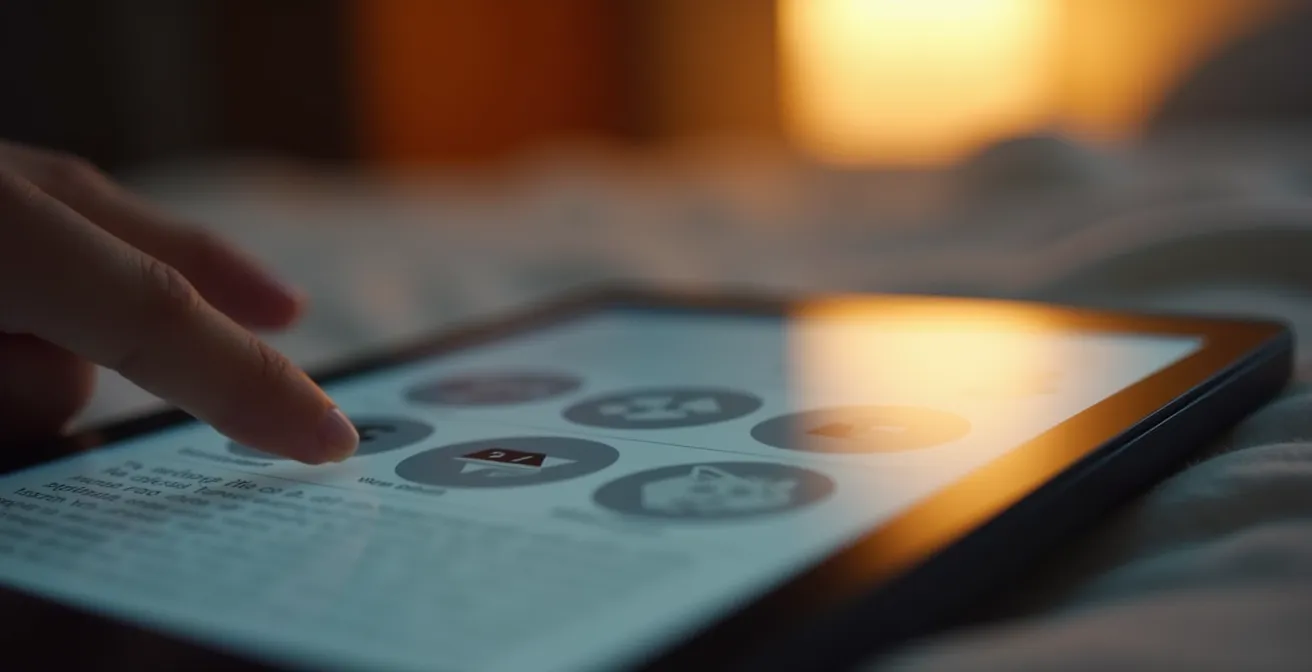
The core advantage of a dedicated e-reader is its E-ink screen, which mimics the appearance of paper. Unlike the backlit LCD screens on tablets and phones that shine light directly into your eyes, E-ink uses reflected ambient light. The difference is stark; studies have shown that backlit screens can result in 96% higher visual fatigue scores compared to their E-ink counterparts. To maximize this advantage, you must tailor your settings to your environment. A one-size-fits-all approach doesn’t work.
Instead of relying on default settings, create a few custom profiles for your most common reading scenarios. This small, one-time investment removes the friction of constantly fiddling with controls and makes starting a reading session effortless. Here are three essential profiles:
- Daylight Commute Profile: For reading on a shaky bus or train, set the font to bold and reduce page margins. This increases stability. Boost the brightness to over 80% to compete with sunlight.
- Deep Work Profile: For focused, long-form reading, use a slightly smaller font (10-11pt) to fit more words on the page, minimizing page turns. Enable page refresh on every turn to eliminate ghosting and set the warm light to a low level (around 20%).
- Bedtime Wind-Down Profile: To prepare for sleep, increase the font size (14pt+), widen line spacing to 1.5x, and maximize the warm light filter. Crucially, reduce the overall brightness to below 30% to minimize blue light exposure.
Kindle Paperwhite vs. iPad Mini: Which Is Better for Deep Reading?
Choosing the right hardware is a critical component of your reading ecosystem. The two dominant contenders for travelers are the single-purpose e-reader, like the Kindle Paperwhite, and the versatile small tablet, like the iPad Mini. While the iPad offers access to multiple reading apps and web browsing, this versatility is its biggest weakness for achieving high reading volume.
The core difference lies in their impact on your cognitive environment. An e-reader is a ‘sanctuary’ designed for one task, while a tablet is a ‘portal’ to infinite distractions. Every notification, every tempting app icon, is a potential exit ramp from your book. The following table breaks down the key distinctions for deep, focused reading, as highlighted by a recent comparative analysis.
| Feature | Kindle Paperwhite | iPad Mini |
|---|---|---|
| Cognitive Environment | Single-purpose ‘sanctuary’ – zero distractions | Multi-purpose ‘portal’ – constant app-switching temptation |
| Flow State Entry | Optimized – no notifications or alternate apps | Challenging – requires strict Focus Mode management |
| Friction to First Page | 1-2 taps from sleep to reading | 3-5 taps plus potential distraction from notifications |
| Eye Strain (4+ hours) | Minimal with E-ink display | Higher with LCD backlight |
| Best Use Case | Long novels, outdoor reading, deep focus sessions | PDFs, textbooks, annotating, multimedia content |
While the Paperwhite is the undisputed champion for immersive, narrative reading, the optimal solution for a true power reader is often a hybrid approach. This allows you to leverage the strengths of each device without compromise.
Case Study: The Hybrid Power-Reader System
An efficient strategy involves using the Kindle Paperwhite for all long-form narrative reading (novels, biographies) where focus is paramount. Its E-ink display and distraction-free environment are ideal for entering a flow state. The iPad Mini is then reserved for ‘augmented reading’—consuming highly illustrated books, academic PDFs requiring annotation, and accessing content from multiple storefronts like Apple Books or Nook. This two-device system designates a clear role for each tool, minimizing cognitive load and optimizing the experience for the specific type of content being consumed.
The “Tsundoku” Trap: Why Buying Cheap E-Books Leads to Reading Less
You’ve optimized your device. Now you face a more insidious problem: the digital pile of shame. The Japanese have a word for this: tsundoku, the act of acquiring reading materials but letting them pile up in one’s home without reading them. In the digital age, this has morphed into a frictionless, invisible crisis. With one-click purchasing and frequent sales, it’s easy to amass a library of hundreds of unread e-books.
Ironically, this abundance is a primary cause of reading paralysis. Faced with endless choice, we experience decision fatigue and default to reading nothing at all. The low cost of e-books devalues the purchase, removing the psychological pressure to “get your money’s worth” that often accompanies a more expensive physical book purchase. To escape this trap, you need to stop hoarding and start curating. This requires a system.
The Reading Funnel System transforms you from a passive collector into an active curator. It introduces intentional friction back into the buying process, ensuring that only the books you are most excited to read actually enter your library. It’s a strategic filter that combats impulse buys and clarifies your reading priorities.
Your Action Plan: Implementing the Reading Funnel System
- Capture Phase: Use your Amazon or Kobo Wishlist as a “catch-all” for any book that piques your interest. Add freely, but never purchase directly from a discovery point. This is your top-of-funnel.
- Curation & Triage: Once a week, review your wishlist. Use a tool like Goodreads to research these titles and assign a priority rating (e.g., 1-5 stars). This is your mid-funnel filter where you confront your initial impulse with rational intent.
- Purchase Gate: Implement a strict rule: only purchase books you have rated 4 stars or higher in your curation phase. Before buying, apply the “Finish First Rule”—you must finish your current book before acquiring a new one.
- Library Maintenance: To prevent your “To Be Read” pile from bloating, enforce a “One-In, One-Out” policy. For every new book you purchase, you must delete one unread book from your library that has been sitting there for over a year. This forces a constant re-evaluation of your priorities.
- Execution Plan: Schedule a recurring 15-minute “Library Triage” session in your calendar every Sunday to execute steps 2 and 4. This turns a vague intention into a concrete, repeatable action.
How to Use Metadata to Organize a Calibre Library of 1,000+ Books?
Once your buying is under control, the next challenge is managing the library you already have. For anyone with over a hundred books, the default interface on a Kindle or Kobo is woefully inadequate. It’s like trying to find a specific song in a playlist of thousands with no search or sorting functions. The solution is a powerful, free, open-source software called Calibre. It’s the iTunes for your e-books.
Calibre’s power lies in its robust metadata management. Instead of just organizing by author or title, you can create your own custom organization system based on how you actually think about books. This moves you from a passive library owner to an active architect of your reading universe. The goal is to be able to answer the question, “What should I read right now?” in seconds, based on your mood, available time, and energy level.
Forget generic folders. The key to a functional Calibre library is a context-based tagging system combined with “Virtual Libraries.” This allows you to create dynamic, saved searches that act as personalized “playlists” for your reading life. Here’s how to implement it:
- Create Situational Tags: Go beyond genre. Use tags that describe the reading experience, like #5-min-read, #commute-friendly, #deep-focus-required, or #comfort-reread.
- Set up Virtual Libraries: Create saved filters for your most common needs. For example: a virtual library for ‘Unread 5-star fiction under 300 pages’ or ‘Non-fiction added in the last 6 months’.
- Implement Smart “Playlists”: Use Calibre’s custom columns feature to add your own criteria, like “Mood” (e.g., inspiring, thrilling, intellectual) or “Energy Level” (e.g., low, high). This allows for incredibly granular sorting.
- Fetch Long-Form Articles: Configure Calibre’s “Fetch News” feature to automatically download articles from your favorite magazines or blogs and convert them into a clean e-reader format, integrating them directly into your library.
Kindle Unlimited vs. Buying Individually: Which Save Money for Heavy Readers?
For the high-volume reader, the cost of individual e-books, even at a discount, can add up quickly. This brings up the central economic question of the digital reading ecosystem: are subscription services like Kindle Unlimited (KU) more cost-effective than à la carte purchases? The answer depends entirely on your reading velocity and genre preferences.
Kindle Unlimited and similar services operate on a “buffet” model. For a flat monthly fee, you get access to a large, but not infinite, library of titles. Initially populated mostly by indie authors, these services now include a growing number of bestsellers, magazines, and even audiobooks. For a reader consuming three or more books a month, the math often works out in favor of the subscription. However, a purely financial analysis is too simple. The most efficient readers use a tiered approach to acquisitions.
Case Study: The Strategic Three-Tier Reading Workflow
The optimal workflow for cost-conscious power readers prioritizes free resources before spending any money. The system works in three cascading steps. First, always check Libby/OverDrive for a free digital copy from your local library. This should be your default action for any book. Second, if the book isn’t available or has a long waitlist, check Kindle Unlimited. This is the perfect use case for the service—accessing titles immediately without a purchase commitment. Third, and only as a last resort, purchase the book individually. This tier should be reserved for “keeper” books you know you’ll want to re-read or reference, or for new releases from favorite authors that aren’t available through the other channels.
This workflow creates a powerful financial filter, ensuring you only pay for what’s absolutely necessary. It combines the community resource of the library, the breadth of a subscription, and the ownership of individual purchases into a single, efficient system. It transforms you from a simple consumer into a strategic content acquirer.
The Eye Strain Headache That Ruins Your Movie Marathon and How to Fix It
The principles of managing digital consumption fatigue extend beyond e-books. The eye strain and headaches that cut a reading session short are the same culprits that can ruin a movie marathon or a day of remote work. The underlying mechanism is often misunderstood. It’s not just about “screen time,” but about the nature of the light source itself.
A leading expert on sleep and circadian rhythms clarified the critical difference between screen types in a landmark study. His insight reveals why different digital activities have vastly different physiological impacts.
The light emitted by most eReaders is shining directly into the eyes of the reader, whereas from a printed book or the original Kindle, the reader is only viewing reflected light.
– Professor Charles Czeisler, Harvard Medical School Study on E-Reader Sleep Disruption
This “direct vs. reflected light” principle explains why you can read on an E-ink Kindle for hours but feel strained after an hour of watching a movie on an iPad. To combat this, you can borrow techniques from the world of power reading and apply them to all screen-based consumption. The key is to introduce deliberate breaks and vary the sensory input.
- Apply the 20-20-20 Rule: Every 20 minutes, look at something 20 feet away for at least 20 seconds. This is non-negotiable for any extended screen session, whether reading, working, or watching.
- Practice “Content Chaining”: Instead of watching three movie episodes back-to-back, watch one, then switch to a related but non-visual medium. Listen to the soundtrack, a podcast discussing the episode, or the audiobook if it’s an adaptation. This gives your eyes a critical rest.
- Synchronize Audio & Visuals: For content available in multiple formats, use technology like Amazon’s Whispersync to seamlessly switch between the e-book and the audiobook. When your eyes get tired, switch to listening without losing your place.
- Set Deliberate “Rest Sprints”: Use a timer to enforce 2-minute eye rest breaks every 25 minutes. During this time, physically get up, stretch, and look out a window.
How to Organize Your Watchlist When You Have 5 Different Streaming Apps?
The “Digital Tsundoku” problem isn’t limited to books. In the age of streaming, our watchlists on Netflix, Disney+, Max, and others have become a new source of decision paralysis. The same feeling of being overwhelmed by choice that prevents you from picking a book is what leads to endlessly scrolling through streaming libraries before giving up and re-watching something familiar.
The solution, once again, is to build a centralized, platform-agnostic system. You need a single source of truth for your media diet, a master list that sits above the walled gardens of individual streaming services. Just as Goodreads serves this purpose for books, apps like JustWatch, Reelgood, or TV Time can unify your video content.
The “Reading Funnel System” we discussed for books can be adapted perfectly for video. The goal is to separate the act of *discovery* from the act of *deciding what to watch now*. This creates an intentional, frictionless workflow for your entertainment.
- Capture Phase: When you hear about a movie or show, don’t open Netflix to add it. Instead, open your universal tracking app (e.g., JustWatch) and add it to a master “To Watch” list.
- Curate Phase: Once a week, spend 10 minutes triaging this master list. Watch trailers, read summaries, and sort titles into priority lists like ‘Must Watch Next’, ‘Maybe Later’, or ‘Group Watch’.
- Source Phase: Your universal app will tell you which of your subscribed services has the title. This eliminates the need to manually check 5 different apps. You can also see if it’s available on a free service you use.
- Deploy Phase: When you’re ready to watch, you don’t face a sea of 5,000 options. You simply open your ‘Must Watch Next’ list, which contains 3-5 pre-vetted titles, and pick one. The decision is already 90% made.
This system eliminates decision fatigue and ensures you’re always watching what you are most excited about, rather than what an algorithm pushes on you. It puts you back in control of your digital consumption.
Key Takeaways
- System Over Device: Doubling your reading count depends on building an efficient workflow, not just owning an e-reader.
- Curate, Don’t Hoard: Use a funnel system (Capture, Curate, Purchase) to combat “digital tsundoku” and ensure you only buy books you intend to read immediately.
- Unify Your Universe: Use master tools like Calibre for books and JustWatch for video to create a single source of truth for your entire digital library, eliminating decision fatigue.
Why Your 100mbps Connection Still Buffers on Friday Nights?
You have the perfect device, a curated library, and a comfortable setup. You sit down on a Friday night to stream a movie or download a new e-book, and you’re met with the ultimate friction: the buffering wheel. You pay for a fast 100mbps connection, so why does it feel like dial-up? The answer is rarely about the raw speed you pay for.
In a digital ecosystem, the “pipes” that deliver your content are just as important as the devices that display it. Buffering on a high-speed connection is almost always a symptom of a bottleneck somewhere between the server and your screen. Understanding these bottlenecks is the final piece of creating a truly frictionless consumption experience.
Here are the most common culprits that have nothing to do with your plan’s advertised speed:
- Network Congestion: This is the “Friday night traffic jam.” Everyone in your neighborhood is streaming, gaming, and downloading at the same time. Your Internet Service Provider (ISP) may not have enough local bandwidth to handle the peak demand, causing speeds to drop for everyone. This is the most likely cause of peak-hour slowdowns.
- ISP Throttling: Some ISPs intentionally slow down (or “throttle”) specific types of traffic, like video streaming or large downloads, during peak hours to manage their network. They may also throttle users who exceed a certain (often unstated) data cap.
- Wi-Fi Interference: The problem might be inside your own home. If you live in an apartment building, your router is competing with dozens of other Wi-Fi networks on the same channels, causing interference and signal degradation. Furthermore, physical obstacles like walls and appliances weaken the signal.
- Outdated Router: A cheap or old router can’t handle modern speeds or manage multiple devices effectively. It becomes the bottleneck in your home network, unable to process the data as fast as your internet connection delivers it.
To solve this, first, run a speed test during a slow period and again during peak hours to confirm if it’s a congestion issue. Second, consider upgrading to a modern mesh Wi-Fi system to provide a stronger, more consistent signal throughout your home. Finally, if possible, connect your primary streaming device (like an Apple TV or gaming console) directly to the router with an Ethernet cable to eliminate Wi-Fi as a variable.
Now that you have the complete blueprint for a high-efficiency digital consumption ecosystem, the next step is to take action. Start tonight by auditing your primary reading device and implementing the system that works for you.